





















.jpg?width=65&name=Daren%20Smith%20(3).jpg)
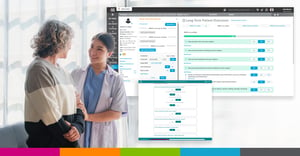
- SIS Complete centralizes ASC operations in one cloud-based platform. Clinical documentation, business office workflows, and patient and physician engagement all live in a single, web-based solution.
- Real-time tracking replaces manual follow-up. Built-in clinical and business office trackers surface outstanding tasks instantly, helping teams close gaps faster and reduce administrative friction.
- Mobile access keeps providers productive anywhere. Physician and anesthesia mobile tools allow documentation review and sign-off from any secure device, minimizing delays and after-hours work.
- Automation improves efficiency without disrupting care. From scheduling and documentation to billing and reconciliation, SIS Complete streamlines workflows so teams can focus on patient care — not paperwork.
SIS Complete is a cloud-based, all-in-one ASC software solution that covers your surgery center’s management, clinical documentation, and patient & physician engagement needs. As the Director of ASC Solutions at SIS and a former ASC Administrator, I understand the need for a user-friendly, straightforward solution that expedites your daily workflow rather than hinders it. So, I decided to outline 10 easy ways you can use SIS Complete:
1. Web-based Solution
SIS Complete is the only cloud-based ASC software explicitly designed for ambulatory surgical center management and clinical documentation on the market, with access via a unique URL. The elimination of remote desktops and virtual machines makes logging in to the platform as easy as any other web-based product you are used to. All you need is your username and password. This makes access from anywhere possible, as long as you have a secure internet connection.
2. Connection Between Your ASC and the Surgeon’s Office
SIS Link, which is part of the SIS Complete package, makes scheduling appointments from the surgeon’s office easier than ever. Your ASC will provide the surgeon’s office with login credentials via a unique URL, where they will be able to view the surgeon’s schedule with whatever permissions you allow them. From there, they can quickly click the schedule while the patient is in the office and submit a case request, which you can then accept or deny. SIS Link eliminates the hassle of constant back-and-forth emails, phone calls, or faxes when scheduling cases at the ASC. When you configure SIS Link, you can also mandate certain data sets that must be filled out by the surgeon’s office in order to submit the case request. That way, when the case is accepted on your end, the data is automatically entered into SIS Complete, eliminating duplicate entries.
3. Mobile Documentation for Physicians and Anesthesia Providers
Physician Mobile is an application that provides access to the clinical desktop from any smartphone, tablet, or other mobile device, as long as the physician has a secure internet connection. Physician Mobile was configured to support login with the biometric system on the physician’s phone or mobile device, eliminating the need to remember yet another password. Physician Mobile provides access to the My Cases Tracker tab along with the Unsigned Items Tracker tab.
The My Cases Tracker provides a clear, easy-to-understand list of everything physicians need to know about their cases, organized by date of service. From there, they can view which patients are on their schedule, the patient's current location within the surgery center, and their responsibility for each patient. They can review H&Ps, consents, orders, etc., all from their phone or tablet. The Unsigned Items Tracker is especially convenient, providing a master list of all outstanding items owed to the surgery center so users can review and sign off on incomplete items, regardless of location.
SIS also offers Anesthesia Mobile, offering the same functionality as the physician app.
4. Patient Connection and Communication
SIS Exchange is patient engagement at its easiest. The configurable tool lets you invite patients via text or email to log in to your surgical patient portal. Here, they can complete customizable preop and postop clinical questionnaires, view preop and postop instructions, and receive appointment reminders. These notifications can be automated and sent on demand to specific patients under special circumstances. With these functionalities, SIS Exchange helps keep your patients connected, reduces last-minute cancellations, and makes patient follow-up easier than ever.
5. Clinical Tracking
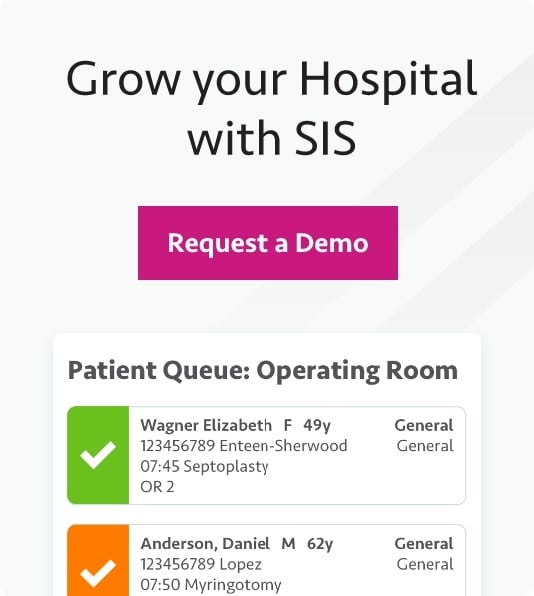
The nursing desktop within SIS Complete identifies remaining work on the clinical side and updates in near-real time. It tracks unsigned cases, preop and postop calls that need to be made, questionnaire completion percentage, incomplete physician items, specimen results, and more. These trackers are interactive and provide easy links to incomplete items, enabling ASC software to actively guide clinical workflows rather than simply recording them.
6. Business Office Tracking
Business office trackers follow the same concept as clinical trackers, but focus on financial and operational workflows — giving ASC software a clear role in revenue cycle and reconciliation tasks.. From here, you can track financial clearance, coding/charge entry, insurance billing, patient statements, balance/reconciliation, depletion, and revenue cycle management. The technology streamlines workflows and shortens time-to-completion on your to-do list.
7. Complete Patient Profiles
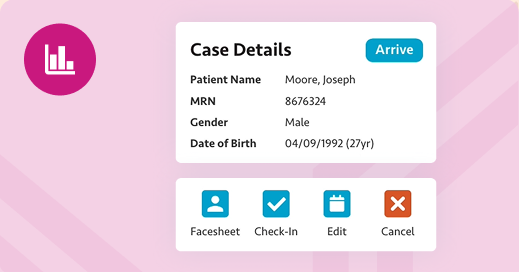
The patient face sheet within SIS Complete is one of my favorite features of the platform. It includes all pertinent information for each patient, including their case history, and compiles it into an easily accessible profile. Within it, you can find everything from case history listed by date of service to case details, associated attachments, forms & consents, financial clearance, and more.
8. Automated Workflows
SIS Complete has automated workflows and significantly reduced the number of steps required to complete tasks such as insurance billing and sending unpaid patient bills to collections.
9. Balance/Reconciliation Tracking
Finally, we have the balance/reconciliation tracker, which lets you reconcile work completed at the end of each day.
When I was running my surgery center, I handled this process manually by matching payment batches to bank deposits and running multiple reports to track down discrepancies. With this tracker, all of that effort is gone. It lays out every transaction for the day in a clear, user-friendly list, making the day's final task a breeze.
To see SIS Complete for yourself, visit the SIS Complete page and fill out the form at the bottom to schedule a demo.
Frequently Asked Questions About SIS Complete and ASC Management Software
1. What is SIS Complete?
SIS Complete is a cloud-based ASC software platform designed to support surgery center management, clinical documentation, workflows, revenue cycle management, and patient engagement from a single system.
2. How does SIS Complete support ASC efficiency?
SIS Complete uses real-time clinical and business office trackers, automated workflows, and centralized patient profiles to reduce duplicate work, improve visibility, and speed task completion across departments.
3. Can physicians and anesthesia providers access SIS Complete remotely?
Yes. SIS Complete includes mobile applications that allow physicians and anesthesia providers to securely review cases, complete documentation, and sign outstanding items from any internet-connected device.
4. How does SIS Complete improve end-of-day reconciliation?
The balance/reconciliation tracker displays all daily transactions in a single, user-friendly view, making it easy to reconcile payment batches and deposits without running multiple reports or searching for discrepancies.
.jpg)